They put the megapixel count in giant type on the box. The gimbal spec is buried in the fine print. That’s not an accident — and it’s costing drone buyers real money for footage that’s genuinely unwatchable.
Let’s Start With a Simple Thought Experiment
Imagine you have two drone videos sitting side by side on your screen. One was shot on a drone with a modest 12MP camera and a quality 3-axis mechanical gimbal. The other was shot on a drone with a dazzling “48MP” camera and no gimbal — just electronic image stabilization, which we’ll explain shortly.
You don’t need to imagine very hard, because you’ve almost certainly seen both types of footage on YouTube. One looks like a movie. The other looks like someone taped a camera to a nervous hummingbird.
The camera with all the impressive numbers produced the hummingbird footage.
This is the gimbal lie in one sentence: the drone industry lets buyers fixate on camera resolution while hiding the spec that actually determines whether your footage is watchable. A perfectly sharp 48MP frame of a shaking horizon is useless. A slightly less sharp 12MP frame of a perfectly smooth, cinematic glide over a landscape is a keeper.
Understanding What a Gimbal Actually Does
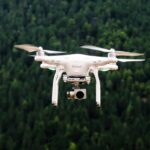
A drone in flight is fighting the air constantly. Wind, turbulence, prop wash, rapid direction changes — your aircraft is moving in ways that no human hand could hold steady. Without stabilization, even a $2,000 drone would produce footage so shaky it’d be unwatchable.
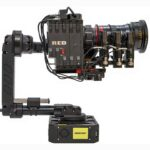
A gimbal is the mechanical solution to this problem. It’s essentially a motorized mount that holds your camera independently of the drone body. When the drone tilts, pitches, or yaws in response to the wind, the gimbal’s motors fire in the opposite direction to keep the camera perfectly level. It’s doing this dozens of times per second, invisibly, in real time.
The key word is mechanical. The gimbal physically moves to counteract the drone’s movement. It doesn’t touch the image at all — so your full frame, full resolution image comes out exactly as the camera captured it, because the camera was never really moving in the first place.
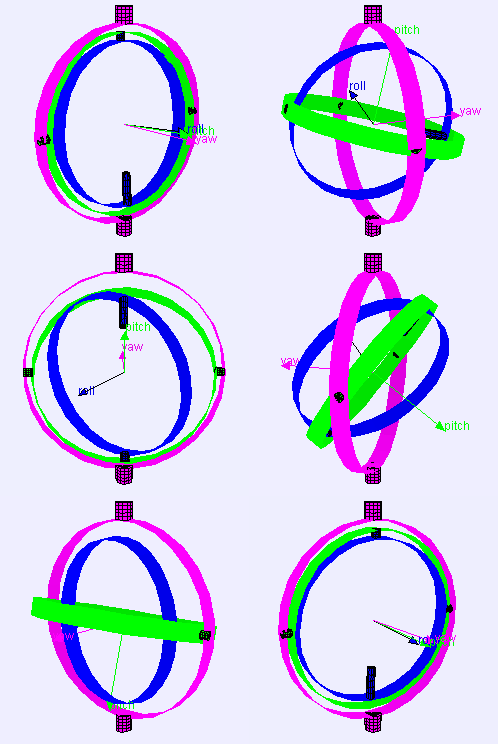
A drone gimbal stabilizes along up to three axes of movement, and understanding what each one does is the key to understanding why more axes means better footage:
- Pitch – Tilt Up / Down – Corrects the nose dipping forward or pulling back — the most common movement during acceleration and braking.
- Roll – Side to Side – Keeps the horizon level when the drone banks left or right. Without this, every turn produces a tilted, disorienting shot.
- Yaw – Rotation – absorbs left-right rotational drift — the “head shake” that a 2-axis gimbal can’t correct, causing jerky panning shots.
A 2-axis gimbal handles pitch and roll. It’s solid for casual use and still produces dramatically better footage than no gimbal at all. A 3-axis gimbal adds yaw correction, and the difference during panning shots — where you rotate the drone to follow a subject or sweep across a landscape — is immediately visible and impossible to fix in post-production.
The “EIS” Trick: What the Budget Drones Don’t Tell You
Here’s where the marketing gets genuinely sneaky. Browse any drone listing on Amazon — especially in the $50 to $200 range — and you’ll see a lot of drones boasting impressive camera specs with no mention of a gimbal at all. Instead, they advertise something called EIS: Electronic Image Stabilization.
EIS sounds like a high-tech solution. The word “electronic” makes it sound modern and sophisticated. The word “stabilization” makes it sound like it does the same job as a gimbal. It does not.
Here’s how EIS actually works: the drone records a slightly wider frame than you need, then software crops into the center of that frame and digitally shifts each crop from one video frame to the next, to smooth out the motion. It’s not stabilizing the camera — it’s editing out the shake after the fact, in real time, by throwing away the edges of your image.
When a budget drone advertises “4K with EIS,” the EIS is typically shooting in 4K and cropping back to 1080p to achieve the stabilization. You are paying for 4K and receiving 1080p — minus image quality, because digital cropping and rescaling degrades sharpness.
A mechanical gimbal does none of this. It keeps the camera steady physically, so you get your full advertised resolution with zero quality loss from stabilization processing.
There are scenarios where EIS is genuinely useful — particularly in FPV drones and action cameras, where fitting a mechanical gimbal is impractical. The best modern drones actually combine both technologies: a 3-axis mechanical gimbal handles the heavy stabilization work, while EIS mops up the remaining fine vibrations and micro-jitter that the gimbal can’t quite catch. That combination, layered together, is what produces the buttery-smooth footage you see from top-tier consumer drones.
But EIS alone, with no mechanical gimbal? On a drone doing anything more interesting than hovering in perfectly still air? You’ll know it when you see it.
The Stabilization Comparison You Won’t Find on the Box
Here’s the honest breakdown of what each stabilization type delivers, and what it costs you:
| Stabilization Type | How It Works | Image Quality Impact | Performance in Wind | Who It’s For |
|---|---|---|---|---|
| No Stabilization | Raw camera output, nothing corrected | Full resolution, no processing | Unusable. Footage is shaky and disorienting in any conditions beyond a calm hover. | FPV racing drones where shake is intentional and cinematic |
| EIS Only (Electronic) |
Software crops frame and repositions each frame to cancel shake | Resolution loss from cropping; quality degrades further in low light | Works for minor shake. Falls apart in moderate wind or quick direction changes. | Ultra-budget drones, toy drones; acceptable for calm-day casual use only |
| 2-Axis Gimbal (Mechanical) |
Motors physically correct pitch and roll in real time | Full resolution preserved; no image processing | Very good in moderate wind. Yaw axis unprotected — panning shots may show slight drift. | Hobbyists on a budget who mostly fly in calm to moderate conditions |
| 3-Axis Gimbal (Mechanical) |
Motors correct pitch, roll, AND yaw simultaneously | Full resolution preserved; cinema-smooth output in all conditions | Excellent. Handles moderate to strong wind. Panning shots are fluid and professional. | Anyone serious about their footage. The minimum for shareable video content. |
| 3-Axis Gimbal + EIS (Combined) |
Gimbal handles major movement; EIS mops up micro-vibration residue | Minimal quality impact — EIS correction is tiny when gimbal handles the heavy lifting | Best in class. The setup used in top-tier consumer drones. | Serious hobbyists, content creators, Part 107 commercial operators |
Why the Industry Buries This Information
The reason is straightforward economics. A quality 3-axis mechanical gimbal adds cost, weight, and complexity to a drone. It requires more sophisticated engineering. It increases the retail price. A software EIS system, on the other hand, costs almost nothing to add — it’s a few lines of firmware code applied to existing hardware. The margin difference between a gimbal drone and an EIS-only drone is substantial.
So what does a manufacturer do? They put the camera spec in giant type on the listing: “4K Ultra HD Camera!” And in fine print somewhere down the page, if they mention stabilization at all, it says “Electronic Image Stabilization” — which sounds like it’s equivalent to a gimbal, and is decidedly not.
Buyers, quite reasonably, compare the cameras. Drone A: 12MP. Drone B: 48MP. They buy Drone B. Drone B has EIS. Drone A had a 3-axis gimbal. The buyer gets home, flies their drone, and wonders why the footage looks so much worse than the videos they watched on YouTube when they were researching. The answer is that those YouTube videos were shot on a gimbal drone.
The Wind Variable: The Test Nobody Shows You
Here’s the dirty secret buried under all the marketing: those gorgeous demo videos on drone product pages? They were shot on a perfect, still day. Maybe 5 mph winds at most, often less. Your drone is going to fly in real conditions — and if you live anywhere in Texas, the Great Plains, along a coast, or anywhere that experiences genuine weather, “still air” is not a concept you will fly in very often.
In real wind — even moderate 12–15 mph conditions, which is a perfectly normal day to fly — the differences between stabilization types become stark:
- No gimbal: Footage is essentially unusable. Every gust, every direction change shows as a lurch.
- EIS only: The software is fighting a battle it’s losing. It can mask small vibrations; it cannot mask the whole drone being pushed sideways by a gust. You’ll see the horizon tilt and recover, the frame judder, the image soften as the aggressive cropping kicks in.
- 2-axis gimbal: Pitch and roll are handled beautifully. Panning shots may still show a slight jitter on the yaw axis when a gust hits mid-pan.
- 3-axis gimbal: Smooth. The drone is fighting the wind; the camera doesn’t know it’s happening.
If you fly in Texas — a 3-axis mechanical gimbal isn’t a luxury feature. It’s the baseline requirement for footage that’s worth keeping.
What to Look For — and What to Ignore — When Buying
Look for these words (good signs):
“3-axis mechanical gimbal” · “3-axis stabilization” · “gimbal + EIS” · “motorized gimbal”
Be skeptical of these words (do more research):
“Electronic Image Stabilization” alone · “EIS” with no gimbal mention · “Digital Stabilization” · “Anti-shake technology”
Ignore these words entirely:
“8K camera” · “48MP” · “Ultra HD” · Any megapixel number above 20MP on a sub-$500 drone — see Article 1 for why.
The real test: Search YouTube for the specific drone model name plus “windy conditions” or “real footage.” Watch what comes up. If the footage wobbles and drifts, the stabilization is inadequate regardless of what the spec sheet says.
A Note on Price and What It Actually Gets You
The pricing reality for drones with proper stabilization is approximately this: under $150, you are almost certainly getting EIS only, regardless of what the listing implies. From $200 to $400, you start seeing genuine 2-axis gimbals on reputable brands. At $400 and up, 3-axis mechanical gimbals become standard on quality manufacturers like DJI, Autel, and Potensic’s upper range.
The important corollary: a $400 drone with a 3-axis gimbal and a 12MP camera will produce dramatically better, more watchable footage than a $300 drone with “48MP” and EIS only. Every time. Without exception. The gimbal wins.
The Practical Upshot: What This Means for Your Budget
Here’s the buying framework that the industry would prefer you didn’t have:
Step 1 — Set your floor at “3-axis mechanical gimbal.” This is non-negotiable if you want footage worth sharing. Do not buy a drone without one if video quality matters to you. Full stop.
Step 2 — Buy the best gimbal drone you can afford within your budget, then stop looking at camera specs. The difference between a 12MP and 20MP camera on a well-stabilized drone is barely visible in normal use. The difference between a gimbal drone and a non-gimbal drone is visible in every single clip, in every single condition, forever.
Step 3 — If a drone is significantly cheaper than comparable gimbal drones, ask why. The answer is almost always that they’ve cut the gimbal to hit a price point. That’s the only meaningful way to get the price down that far while keeping the camera spec impressive-looking on paper.
Step 4 — Buy a second battery instead of upgrading to a higher-MP camera. More flight time produces more keepers. More megapixels does not.
The Bottom Line: Gimbal First, Everything Else Second
- A mechanical 3-axis gimbal is the single most important camera-related feature on a drone. Not the megapixel count. Not the video resolution. Not the sensor size. The gimbal — because without it, none of those other specs matter when your footage is shaking.
- Electronic Image Stabilization is not a substitute for a mechanical gimbal. It’s a damage-control feature that actually reduces resolution and image quality in the process of stabilizing. In wind or fast flight, it can’t keep up.
- The combination of a 3-axis gimbal plus EIS is the gold standard — the gimbal handles the big movements, EIS mops up the micro-vibrations. That’s what the best consumer drones do.
- Before you spend a dollar more on a “better” camera, ask whether you have a 3-axis gimbal on your current drone. If not, that’s where your upgrade budget should go — or it’s the deciding factor between two drones you’re comparing.
- The footage that will make your friends say “wow” comes from smooth, stable, cinematic motion. That’s a gimbal. It has nothing to do with megapixels.
One Last Thing: Watch Before You Buy
Before you purchase any drone, do this: find at least three video reviews on YouTube shot by real pilots — not the manufacturer’s promo video, which is always shot in perfect conditions with a skilled operator. Search for the drone name plus “honest review,” “real world test,” or “windy conditions.” Watch how the footage holds up. Watch the horizon. Watch the panning shots. Watch what happens when a gust catches the drone mid-flight.
You’ll see the difference between a gimbal drone and an EIS drone in about thirty seconds of footage. And once you’ve seen it, you can’t unsee it. No amount of megapixels will ever make shaky footage watchable — but a good 3-axis gimbal will make modest camera specs look absolutely professional.
The marketing wants you looking at the wrong number. Now you know which number actually matters.
http://weelookang.blogspot.com/2011/07/ejs-open-source-gimbal-lock-model-java.html