Losing a drone is one of the most frustrating — and costly — experiences a new pilot can have. The good news is that most lost drones are preventable. With the right habits before takeoff and a little gear, you can dramatically reduce the odds of your drone becoming a very expensive lawn ornament somewhere in the tree line. If NASA can land a drone on Mars, with a bit of planing you ought to be able to land yours exactly where you want it in order to retrieve it safely every time you go out.
1. Know Your Terrain Before You Fly
This is the single most important habit you can build, and it costs nothing. Before your first flight in any new location, walk the area on foot. You are looking for several things:
- Tall obstacles: Trees, power lines, cell towers, and building rooftops are the most common culprits in drone crashes and flyaways.
- Dead zones: Low spots, ravines, or areas surrounded by hills or structures can break your signal faster than you expect.
- Your realistic range: Walk out from your planned launch point and get a feel for what 300, 500, and 1,000 feet actually looks like in that environment. Most new pilots dramatically overestimate how far they can see their drone.
- Wind channels: Buildings and tree lines funnel wind in unpredictable ways. What feels calm at ground level can be turbulent 100 feet up.
Under FAA Part 107 rules, you are required to keep your drone within visual line of sight at all times. Walking your flight area ahead of time makes that easier and safer.
2. Respect Your Battery — It Is Your Flight Time Clock
Battery failure is one of the top causes of lost drones. Most consumer drones give you 20 to 30 minutes of actual flight time, and that shrinks fast in wind or cold weather. A smart rule of thumb is the “30% rule” — when your battery hits 30%, it is time to come home, not continue exploring. By the time you fly back and land, you will have used that cushion.
- Always start with a fully charged battery. Sounds obvious, but in the excitement of a new flight location, pilots skip this constantly.
- Carry spare batteries and rotate them. Keep extras in a warm pocket in cold weather — cold kills battery life fast.
- Set your drone’s Return to Home (RTH) altitude before every flight. Make sure it is set higher than the tallest obstacle between you and the launch point.
3. Configure Return to Home — and Test It
Nearly every modern consumer drone has a Return to Home (RTH) feature that automatically flies the drone back to its takeoff point if signal is lost. This is your safety net — but only if it is set up correctly. Before flying in a new area:
- Set RTH altitude manually — never leave it on the factory default without checking it first.
- Make sure GPS has a strong lock (typically 10 or more satellites) before takeoff. No GPS lock means no reliable RTH.
- Test it in a safe open area before flying somewhere complex. Trigger RTH intentionally once so you know exactly how your specific drone behaves.
4. Avoid Electromagnetic Interference
Electromagnetic interference (EMI) is invisible but deadly to drone control signals. It can cause your drone to ignore commands, behave erratically, or trigger a flyaway. Common sources to steer clear of include high-voltage power lines, cell towers and broadcast antennas, Wi-Fi hotspots and routers in dense areas, and metal structures that block line-of-sight signal. If you notice your controller signal dropping in an area, do not press further — bring the drone back immediately.
5. Attach a Tracker — Your Recovery Insurance Policy
Even the most careful pilot can have an unexpected crash or flyaway. A small tracking device attached to your drone can be the difference between a recovered drone and a total loss. There are a few categories to know:
- Apple AirTag (iPhone users): Lightweight at 11.8 grams, water resistant, and no subscription fee. The catch — it relies on nearby Apple devices to relay its location, so it works best in populated areas. In remote wilderness, it may not help much.
- Tile Pro (Android/cross-platform): Similar Bluetooth-based approach with a louder 110 dB alarm — useful when searching brush or tall grass. Smaller network than Apple’s, but solid for suburban flying.
- Cellular GPS Trackers (e.g., Tracki): These use 4G LTE for true real-time tracking anywhere there is cell coverage — no crowd-sourcing needed. They require a monthly subscription (around $10–20/month) and need charging every few days in active mode. Best for pilots flying in remote or rural areas.
- VIFLY Beacon Buzzer: A simple, inexpensive self-powered buzzer that activates automatically on impact. Emits a loud alarm to help you locate a crashed drone in thick vegetation. No subscription, no app — just noise when you need it.
Modern trackers typically weigh less than 30 grams and have minimal impact on flight time. Attach one to your landing gear or frame with zip ties or adhesive mounts.
6. Keep a Pre-Flight Checklist
Professional pilots — whether flying a Cessna or a drone — use checklists for a reason. Habits get skipped when you are excited to fly. A simple pre-flight routine for every flight might look like this:
- Battery fully charged and seated securely
- GPS lock confirmed (10+ satellites)
- Return to Home altitude set above tallest nearby obstacle
- Home point confirmed and locked
- Tracker device active and showing location
- Flight area walked and obstacles noted
- Wind speed checked (apps like UAV Forecast or Windy are excellent)
The Bottom Line
Losing a drone is rarely bad luck — it is usually a combination of skipped preparation and overconfidence. Walk your terrain, respect your battery, configure your safety features, and put a tracker on your aircraft. Do those four things consistently and your drone will be coming home with you.
For more free resources and to test your Part 107 knowledge, visit 107DroneMaster.com
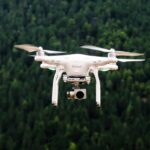
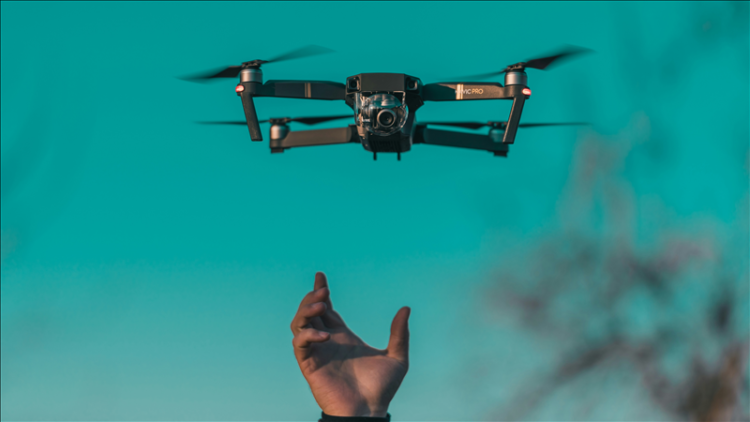
Photo by Diana Măceşanu on Unsplash